Dell S2722DGM vs BenQ EX2710U — Which Should You Buy?
Side-by-side comparison of Dell S2722DGM and BenQ EX2710U. We compare specs, performance, and value to help you decide.

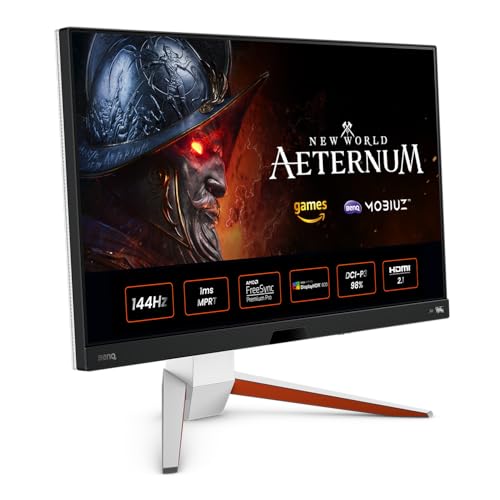
Feature Comparison
| Feature | Dell S2722DGM | BenQ EX2710U |
|---|---|---|
| Panel Size | 27 inches | 27 inches |
| Resolution | 2560 x 1440 (QHD) | 3840 x 2160 (4K UHD) |
| Refresh Rate | 165Hz | 144Hz |
| Panel Type | VA | IPS |
| Response Time | 2ms GtG (4ms typical) | 1ms MPRT |
| HDR | VESA DisplayHDR 400 | VESA DisplayHDR 600 |
| Color Gamut | 99% sRGB | 95% DCI-P3, 99% sRGB |
| Adaptive Sync | AMD FreeSync Premium | NVIDIA G-Sync Compatible, AMD FreeSync Premium Pro |
| Ports | 2x HDMI 2.0, 1x DisplayPort 1.4, 1x 3.5mm audio | 2x HDMI 2.1, 1x DisplayPort 1.4, 1x USB-C (65W PD), 2x USB 3.0, 1x 3.5mm audio |
| Ergonomics | Tilt only (VESA mountable) | Height, tilt, pivot, swivel |
Dell S2722DGM
Pros
- ✓Excellent value for 1440p 165Hz gaming
- ✓VA panel delivers 3000:1 contrast and deep blacks
- ✓Subtle 1500R curve enhances immersion
- ✓165Hz with FreeSync Premium for smooth gameplay
- ✓VESA mount compatible
- ✓Low input lag for responsive feel
- ✓Dell's reliable build quality
Cons
- ✗Slower pixel response than IPS in dark transitions
- ✗Limited color gamut compared to Nano IPS
- ✗No USB hub or USB-C
BenQ EX2710U
Pros
- ✓4K 144Hz for gaming and productivity in one display
- ✓HDR 600 with 16-zone local dimming
- ✓HDRi adapts image to ambient light
- ✓95% DCI-P3 for accurate colors
- ✓1ms MPRT for responsive gaming
- ✓Built-in 2.1-channel speakers
- ✓USB-C with 65W power delivery
Cons
- ✗Local dimming zones limited (16)
- ✗Premium price for 27-inch 4K
- ✗Heavy and large stand
Our Verdict
Dell S2722DGM
The Dell S2722DGM is the best budget 1440p gaming monitor. You get 165Hz, strong contrast, and Dell reliability at a price that undercuts most competitors. Ideal for gamers who want to step up from 1080p without breaking the bank.
Special Deal Available — See OfferBenQ EX2710U
The BenQ EX2710U is the best 27-inch 4K gaming monitor. It delivers 4K and 144Hz in one package, with HDR 600 and HDRi adding real value. Perfect for gamers who want 4K without sacrificing refresh rate.
Limited Offer — Check Today's PriceOur Methodology
We calibrate and test each monitor using a Calibrite ColorChecker Display Pro for color accuracy, OSRTT for response times, and standardized HDR test patterns. We measure input lag, evaluate ergonomic adjustability, and test gaming performance across multiple titles. No manufacturer has editorial influence.
Related Comparisons
Best Monitors 2026 – Top 10 Picks Tested
Our tested ranking of the best monitors for 2026. Gaming, productivity, and 4K picks based on calibrated testing of color, response time, and HDR.
OverviewCompare Monitors – Side-by-Side Specs & Prices
Compare 10 top monitors side-by-side. Specs, pricing, and key features for gaming and productivity monitors. Find the right fit for your setup.
CompareCompare MonitorPicks Products — Pick Two to Compare
Choose any two products to see a detailed side-by-side comparison. Compare specs, features, and value.
Head to HeadLG 27GP850-B vs Dell S2722DGM — Which Should You Buy?
Side-by-side comparison of LG 27GP850-B and Dell S2722DGM. We compare specs, performance, and value to help you decide.
Head to HeadLG 27GP850-B vs BenQ EX2710U — Which Should You Buy?
Side-by-side comparison of LG 27GP850-B and BenQ EX2710U. We compare specs, performance, and value to help you decide.
Head to HeadSamsung Odyssey G7 32" vs Dell S2722DGM — Which Should You Buy?
Side-by-side comparison of Samsung Odyssey G7 32" and Dell S2722DGM. We compare specs, performance, and value to help you decide.
Head to HeadSamsung Odyssey G7 32" vs BenQ EX2710U — Which Should You Buy?
Side-by-side comparison of Samsung Odyssey G7 32" and BenQ EX2710U. We compare specs, performance, and value to help you decide.