Compare Monitors – Side-by-Side Specs & Prices
Compare 10 top monitors side-by-side. Specs, pricing, and key features for gaming and productivity monitors. Find the right fit for your setup.
| Feature |
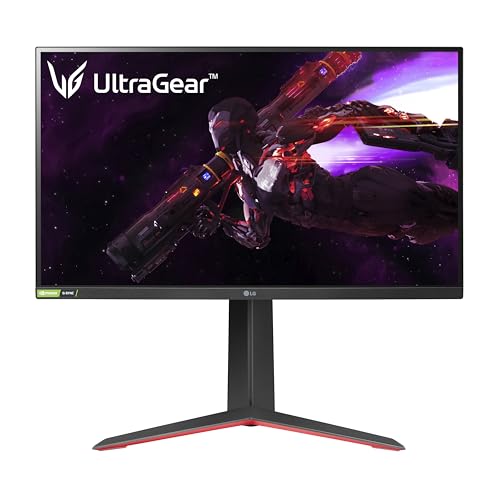
LG 27GP850-B
|
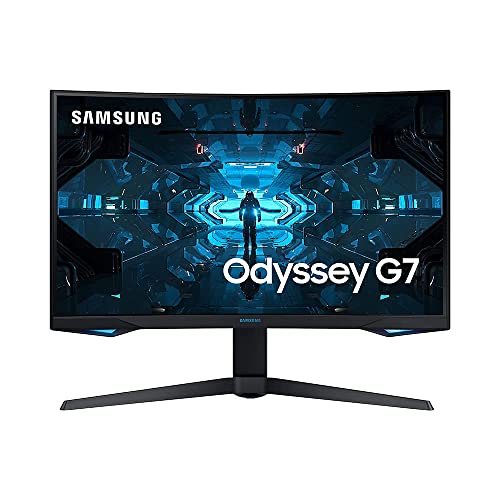
Samsung Odyssey G7 32"
|
Dell S2722DGM
|
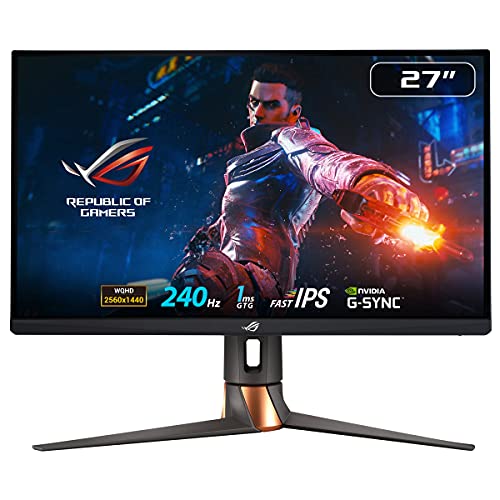
ASUS ROG Swift PG279QM
|
LG 27UN850-W
|
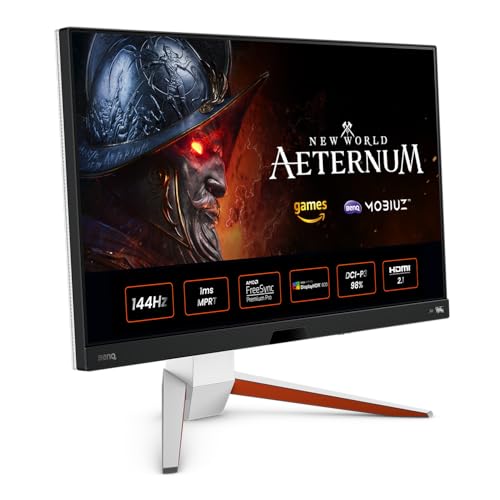
BenQ EX2710U
|
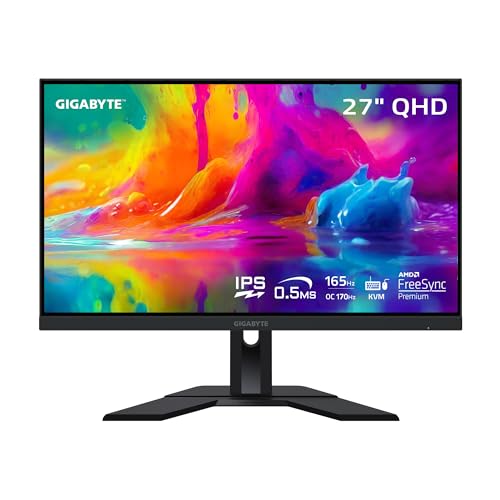
Gigabyte M27Q X
|
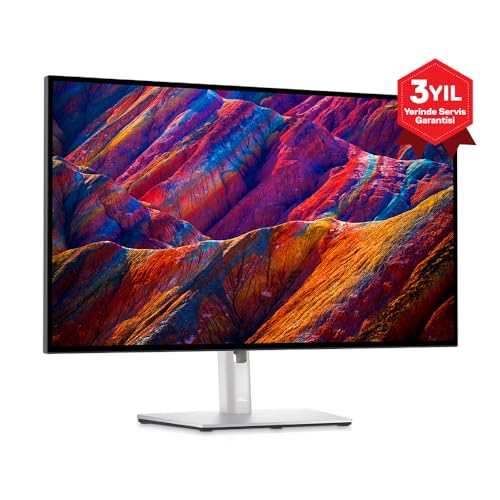
Dell UltraSharp U2723QE
|
MSI MAG274QRF-QD
|
Alienware AW2723DF
|
|---|---|---|---|---|---|---|---|---|---|---|
| Rating |
9/10
|
8.8/10
|
8.3/10
|
9.2/10
|
8.5/10
|
8.9/10
|
8.7/10
|
9.1/10
|
8.6/10
|
8.8/10
|
| Check Deal → | Check Deal → | Check Deal → | Check Deal → | Check Deal → | Check Deal → | Check Deal → | Check Deal → | Check Deal → | Check Deal → | |
| Price | $349/one-time | $449/one-time | $249/one-time | $599/one-time | $449/one-time | $549/one-time | $379/one-time | $519/one-time | $329/one-time | $449/one-time |
| Panel Size | 27 inches | 32 inches | 27 inches | 27 inches | 27 inches | 27 inches | 27 inches | 27 inches | 27 inches | 27 inches |
| Resolution | 2560 x 1440 (QHD) | 2560 x 1440 (QHD) | 2560 x 1440 (QHD) | 2560 x 1440 (QHD) | 3840 x 2160 (4K UHD) | 3840 x 2160 (4K UHD) | 2560 x 1440 (QHD) | 3840 x 2160 (4K UHD) | 2560 x 1440 (QHD) | 2560 x 1440 (QHD) |
| Refresh Rate | 165Hz (180Hz OC) | 240Hz | 165Hz | 240Hz | 60Hz | 144Hz | 240Hz | 60Hz | 165Hz | 240Hz |
| Panel Type | Nano IPS | VA (Quantum Dot) | VA | Fast IPS | IPS | IPS | Fast IPS (SS IPS) | IPS Black | Quantum Dot IPS | Fast IPS |
| Response Time | 1ms GtG | 1ms (MPRT) | 2ms GtG (4ms typical) | 1ms GtG | 5ms GtG | 1ms MPRT | 0.5ms MPRT | 5ms GtG | 1ms GtG | 1ms GtG |
| HDR | VESA DisplayHDR 400 | VESA DisplayHDR 600 | VESA DisplayHDR 400 | VESA DisplayHDR 400 | VESA DisplayHDR 400 | VESA DisplayHDR 600 | VESA DisplayHDR 400 | None | VESA DisplayHDR 400 | VESA DisplayHDR 400 |
| Color Gamut | 98% DCI-P3, 135% sRGB | 125% sRGB, 95% DCI-P3 | 99% sRGB | 97% DCI-P3, 99% sRGB | 95% DCI-P3, 99% sRGB | 95% DCI-P3, 99% sRGB | 92% DCI-P3, 140% sRGB | 95% DCI-P3, 99% sRGB, 80% Adobe RGB | 97% DCI-P3, 147% sRGB | 95% DCI-P3, 99% sRGB |
| Adaptive Sync | NVIDIA G-Sync Compatible, AMD FreeSync Premium | NVIDIA G-Sync Compatible, AMD FreeSync Premium Pro | AMD FreeSync Premium | NVIDIA G-Sync (hardware) | AMD FreeSync | NVIDIA G-Sync Compatible, AMD FreeSync Premium Pro | NVIDIA G-Sync Compatible, AMD FreeSync Premium | None | NVIDIA G-Sync Compatible, AMD FreeSync | NVIDIA G-Sync Compatible, AMD FreeSync Premium Pro |
| Ports | 2x HDMI 2.0, 1x DisplayPort 1.4, 2x USB 3.0, 1x 3.5mm audio | 2x HDMI 2.0, 1x DisplayPort 1.4, 2x USB 3.0, 1x 3.5mm audio | 2x HDMI 2.0, 1x DisplayPort 1.4, 1x 3.5mm audio | 2x HDMI 2.0, 1x DisplayPort 1.4, 2x USB 3.0, 1x USB-B, 1x 3.5mm audio | 1x HDMI 2.0, 1x DisplayPort 1.4, 1x USB-C (90W PD), 2x USB 3.0, 1x 3.5mm audio | 2x HDMI 2.1, 1x DisplayPort 1.4, 1x USB-C (65W PD), 2x USB 3.0, 1x 3.5mm audio | 2x HDMI 2.0, 1x DisplayPort 1.4, 1x USB-C, 2x USB 3.0, 1x 3.5mm audio | 1x HDMI 2.0, 1x DisplayPort 1.4, 1x USB-C (90W PD), 4x USB 3.2, 1x RJ45, 1x 3.5mm audio | 2x HDMI 2.0, 1x DisplayPort 1.4, 1x USB-C, 2x USB 2.0, 1x 3.5mm audio | 2x HDMI 2.0, 1x DisplayPort 1.4, 4x USB 3.2, 1x 3.5mm audio |
| Ergonomics | Height, tilt, pivot, swivel | Height, tilt, swivel | Tilt only (VESA mountable) | Height, tilt, pivot, swivel | Tilt, height (via optional stand) | Height, tilt, pivot, swivel | Tilt (VESA mountable) | Height, tilt, pivot, swivel | Height, tilt, pivot, swivel | Height, tilt, pivot, swivel |
| View Price → | View Price → | View Price → | View Price → | View Price → | View Price → | View Price → | View Price → | View Price → | View Price → |




Our Methodology
We calibrate and test each monitor using a Calibrite ColorChecker Display Pro for color accuracy, OSRTT for response times, and standardized HDR test patterns. We measure input lag, evaluate ergonomic adjustability, and test gaming performance across multiple titles. No manufacturer has editorial influence.
Frequently Asked Questions
What specs matter most when comparing monitors?
Is 240Hz worth it over 165Hz?
How do I choose between 27-inch and 32-inch?
Related Comparisons
Best Monitors 2026 – Top 10 Picks Tested
Our tested ranking of the best monitors for 2026. Gaming, productivity, and 4K picks based on calibrated testing of color, response time, and HDR.
CompareCompare MonitorPicks Products — Pick Two to Compare
Choose any two products to see a detailed side-by-side comparison. Compare specs, features, and value.
Head to HeadLG 27GP850-B vs Samsung Odyssey G7 – Which 1440p Gaming Monitor Wins?
Head-to-head comparison: LG 27GP850-B (27" IPS 165Hz) vs Samsung Odyssey G7 (32" VA 240Hz). We test color, motion, and value to help you choose.
Head to HeadLG 27GP850-B vs Samsung Odyssey G7 32" — Which Should You Buy?
Side-by-side comparison of LG 27GP850-B and Samsung Odyssey G7 32". We compare specs, performance, and value to help you decide.
Head to HeadLG 27GP850-B vs Dell S2722DGM — Which Should You Buy?
Side-by-side comparison of LG 27GP850-B and Dell S2722DGM. We compare specs, performance, and value to help you decide.
Head to HeadLG 27GP850-B vs ASUS ROG Swift PG279QM — Which Should You Buy?
Side-by-side comparison of LG 27GP850-B and ASUS ROG Swift PG279QM. We compare specs, performance, and value to help you decide.